Viewing and downloading invoices
Every time you purchase credits or a dedicated number, Mobile Message generates a tax invoice. You can view and download these invoices at any time from the Invoices page. Whether you need a receipt for a recent credit purchase or want to download older invoices for your records, everything is available in one place.
Finding your invoices
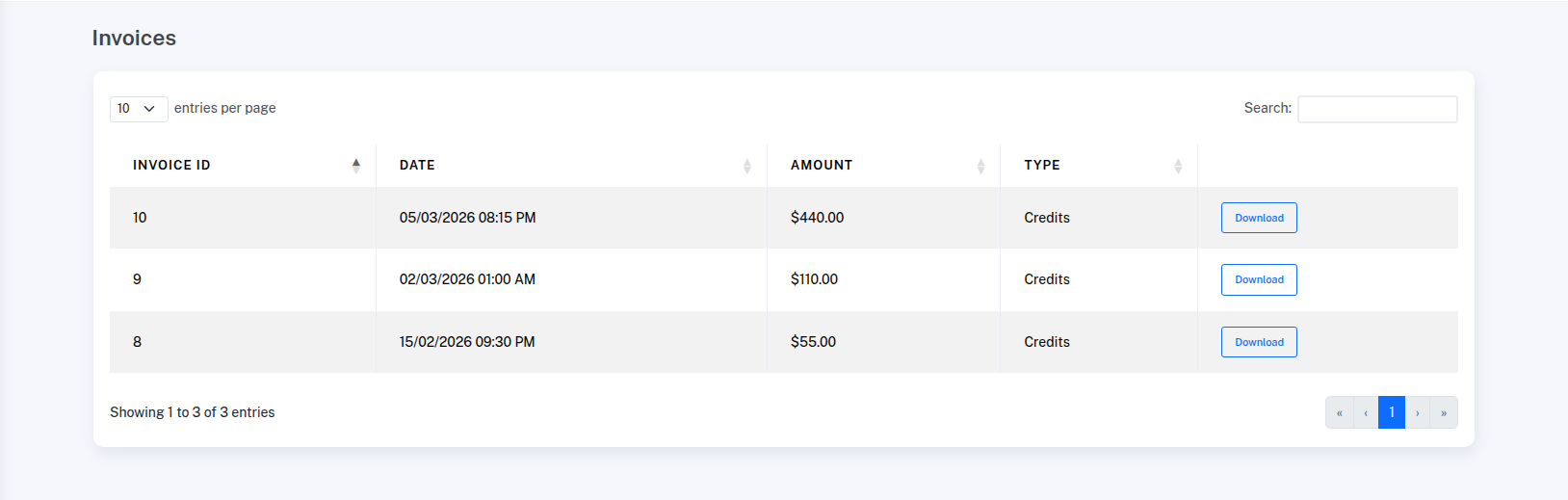
Go to Settings > Invoices to see a list of all your invoices, sorted by most recent first.
What's on each invoice
Each row in the invoices table shows:
- Invoice ID — a unique identifier for the invoice
- Date — when the payment was made, shown in your account's timezone
- Amount — the total amount including GST
- Type — what the payment was for (e.g. Credits, Dedicated Number)
Unpaid invoices (such as pending bank transfers) are marked with an Unpaid badge.
Downloading an invoice
Click Download next to any invoice to get a PDF. The PDF includes all the details you need for accounting and tax purposes, including GST amounts.
Invoices by email
If you have a Billing Notification Email set in Settings > My Profile, invoices will be automatically emailed to that address each time you purchase credits or a dedicated number by card. If this field is not set, invoices will not be emailed, but you can always download them from the Invoices page.