Can I send SMS messages from my own number?
Yes. You can send SMS messages from your own mobile number using Mobile Message.
Messages sent this way appear to recipients exactly as if they were sent from your phone. They will show up in the same message thread as any existing messages they already have with your number.
How to add your number
- Go to Settings > Sender IDs
- Click Add Own Mobile Number
- Enter your Australian mobile number and an optional friendly label (the label is only visible to you)
- Click Send Verification Code — a 4-digit code will be sent to that number by SMS
- Enter the code when prompted and click Verify
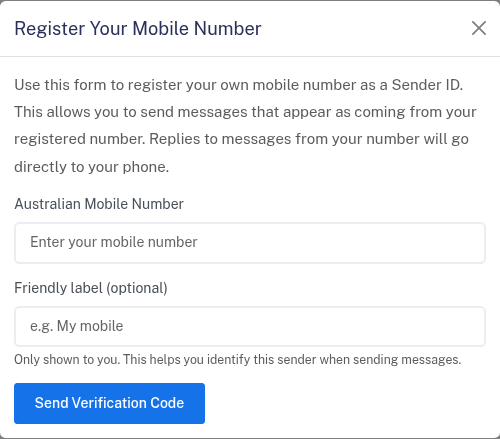
Once verified, your number will appear in your Sender IDs list and be available as a sender option on the Send Messages page.
Important things to know
Replies go to your phone, not to Messenger. If a recipient replies, their message goes directly from their phone to yours. Replies will not appear in your Mobile Message account — they bypass the platform entirely.
Your number stays with your current provider. We cannot port your number. It must remain active with your existing mobile carrier.
There is no additional cost to use your own number as a sender.
For a comparison of all sender options, see Choosing a sender — what are the options?.