Using emojis in SMS messages
Emojis can add personality to your SMS messages — a thumbs up, a smiley face, or a party popper can make a message feel more engaging. However, emojis change how your message is encoded, which affects how many characters you can fit in a single SMS and how many credits each message costs.
How to insert an emoji
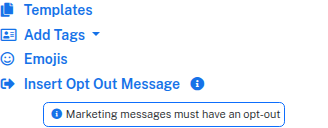
On the Send Messages page, click Emojis below the message field to open the emoji picker. Click any emoji to insert it into your message at the cursor position.
You can also type or paste emojis directly into the message field from your device's keyboard.
How emojis affect message length
A standard SMS uses GSM-7 encoding, which supports letters, numbers, and common punctuation. With GSM-7, a single SMS can hold 160 characters.
When you add an emoji, the entire message switches to Unicode (UCS-2) encoding. This reduces the capacity to 70 characters per SMS part. If your message exceeds 70 characters, it's split into multiple parts — and each part costs one credit.
For example:
- "Hi Sarah, just a reminder that your appointment is scheduled for tomorrow at 3pm." (82 characters) = 1 credit (GSM-7, under 160)
- "Hi Sarah, just a reminder that your appointment is scheduled for tomorrow at 3pm 😊" (83 characters) = 2 credits (Unicode, over 70 — splits into two parts)
Checking the impact
The character counter below the message field updates in real time as you type. When your message contains an emoji, the counter switches to show the Unicode character limit. The Credits per recipient figure also updates, so you can see exactly how many credits each message will cost before you send.
When to use emojis
Emojis work well for:
- Marketing and promotional messages
- Friendly appointment reminders
- Event invitations and announcements
They're less suited to automated system messages or alerts where clarity and character efficiency matter most.
Good to know
- Not all phones display emojis identically — older devices may show a placeholder square instead
- A single emoji can use 2 or more Unicode characters, so some emojis take up more space than others
- The character counter accounts for this automatically
Use the character counter as your guide, and preview your message before sending to make sure everything looks right. For more on how message length affects credits, see Understanding SMS parts and Unicode.