Sending SMS by Pasting Phone Numbers
Mobile Message lets you paste a list of phone numbers directly into the Send Messages page. This is the fastest way to send a message to a group of recipients when you already have their mobile numbers copied.
A video walkthrough is available at the top of this article.
When to use this method
Pasting phone numbers is ideal when:
- You want to send a one-off message quickly
- You already have a list of numbers copied
- You don’t need to save the contacts
- Personalisation is not required
Because names are not included, messages sent using this method cannot be personalised with customer details such as first names.
Pasting phone numbers
To paste phone numbers into a message:
- Go to Send Messages
- Click Paste Numbers

- Paste your list of phone numbers into the box
- Use Ctrl + V on your keyboard, or
- Right-click and select Paste
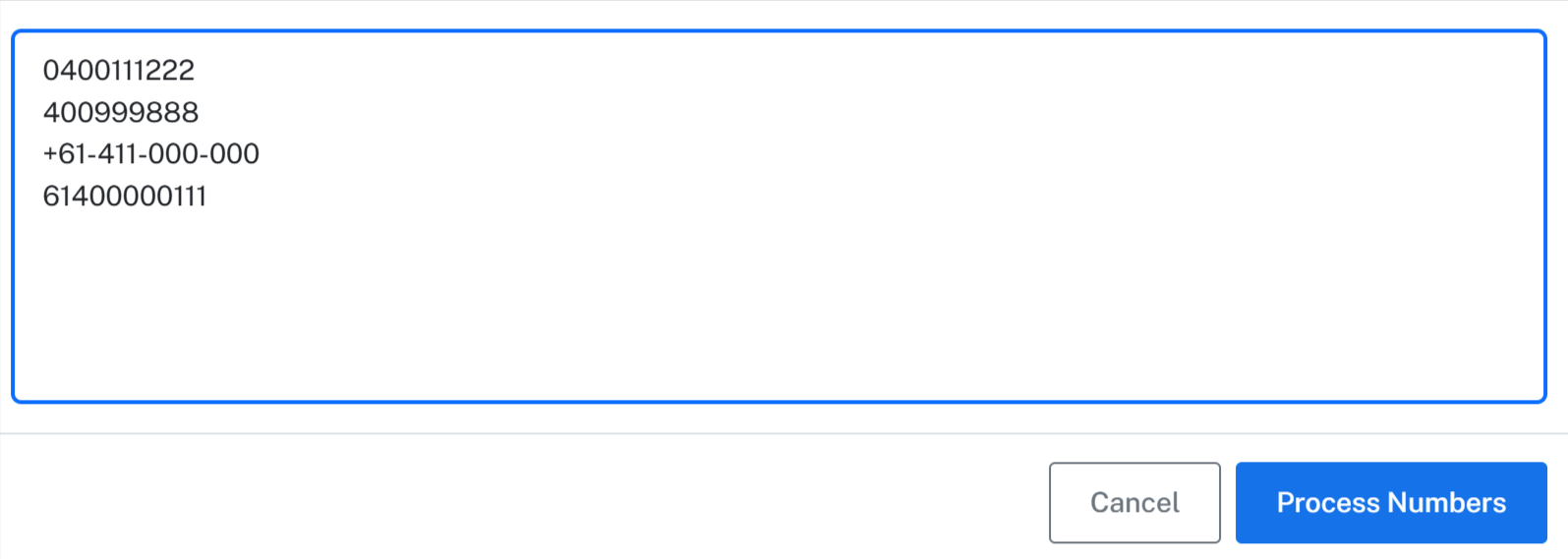
You can paste numbers copied from anywhere, including spreadsheets, documents, emails, or other systems.
Supported number formats
Your pasted list can contain phone numbers in many different formats.
Mobile Message automatically:
- Cleans up formatting
- Removes spaces, dashes, and punctuation
- Converts numbers to the correct format
You do not need to manually standardise or format the numbers before pasting them. Just paste them in and let us sort it out for you.
Processing the numbers
After pasting the list:
- Click Process Numbers
- The platform will analyse the list
Mobile Message will then:
- Count how many valid mobile numbers were found
- Remove duplicate numbers
- Remove invalid numbers
Only valid, unique mobile numbers will be used for sending.
Writing and sending the message
Once the numbers are processed:
- Write your message content
- Review the character count and credit usage
- Choose the sender
- Click Send Messages
The message will be sent immediately.
Important limitations
When using pasted numbers:
- Contacts are not saved to your Contacts page — however, every recipient is still recorded in your History
- Names and contact fields are not available
- Message personalisation is not possible
If you want to personalise messages or save contacts for ongoing use, importing contacts into a list is the better option.
Retrieving recipients from a past send
Even though pasted numbers are not saved as contacts, every message you send is recorded in your account's History. You can use this to find and reuse recipients from any previous send.
- Click History in the main menu
- Use the Date Range picker and Search box to find the send you are looking for
- Click Export CSV or Export Excel to download the matching messages, including all recipient numbers
- Use the exported file to either:
- Import into Contacts — upload the file on the Contacts page to save the numbers for future use
- Paste into a new send — copy the numbers from the spreadsheet and paste them using the steps above
For more detail on filtering and exporting, see Viewing and exporting message history.
Why this method is useful
Pasting phone numbers is the quickest way to send a bulk SMS when speed matters. It avoids spreadsheet uploads and setup steps, making it ideal for fast notifications, alerts, or simple announcements.