Notifications - getting email alerts for replies and unsubscribes
Overview
Mobile Message can send email notifications when customers reply to messages or unsubscribe. These notifications ensure you are alerted without needing to constantly monitor the platform.
For real-time browser notifications when new messages arrive, see The Messenger.
Where notification settings are configured
Notification settings are located under Settings > My Profile.
There are two separate notification fields:
- Inbound SMS Notification Email
- Unsubscribe Request Notification Email
These email addresses control where notifications are sent.
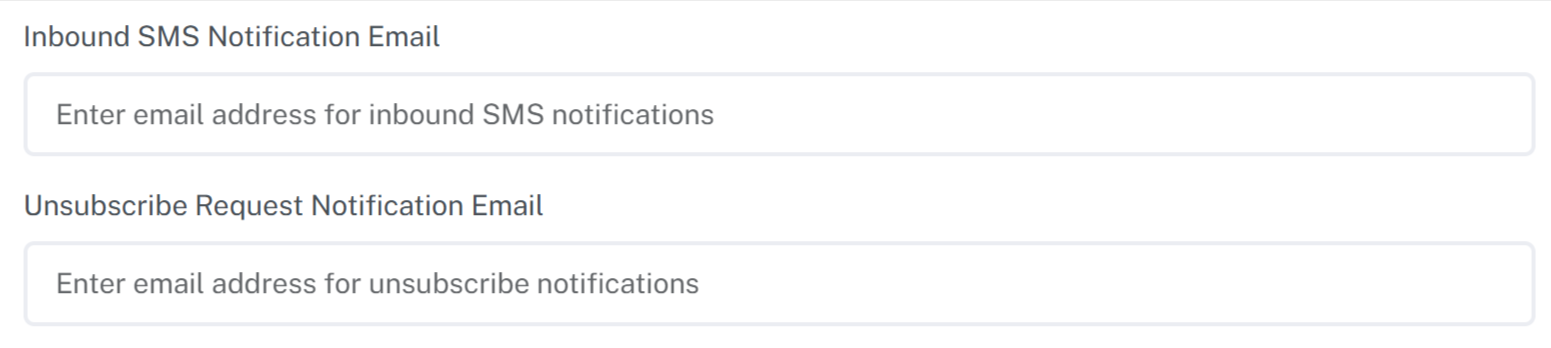
Inbound SMS notification emails
When a customer replies to one of your messages, Mobile Message can send an email notification to the address specified in Inbound SMS Notification Email.
The notification email includes:
- the sender and recipient numbers
- the content of the inbound message
- the date and time the message was received
Replies always appear in the Messenger. The email notification is an alert only.
If notifications are not reaching an Outlook or Microsoft 365 inbox, see Notification emails missing or in junk (Outlook and Microsoft 365).
If you have extra users on your account, Settings > Users > SMS Reply Notifications decides whether a reply to a message one of them sent goes to that user's own email address or to the account address here. See Managing your login, 2FA, and users.
Inbound notification emails are an automation
The Inbound SMS Notification Email field is a shortcut. Behind it sits a rule on the Automations page named Inbound notification email, carrying a Notification email badge, and the two stay in step: change the field and the rule follows, delete the rule and the field clears.
Open the rule when you want more than the field can express. You can send notifications only for messages that arrive on one number, only for a particular keyword, or only during business hours, and you can run other actions alongside the email such as a webhook or adding the sender to a list.
The Unsubscribe Request Notification Email below it is not an automation and is unaffected.
Replying by email using Email to SMS
If you have Email to SMS configured on your account, you can reply directly to the inbound SMS notification email.
When you reply to the email:
- the content of your email is sent back to the customer as an SMS
- the reply appears in the Messenger like any other outbound message
- standard SMS credit usage applies
Refer to the Email to SMS help article for setup instructions and formatting rules.
Unsubscribe notification emails
When a customer opts out by replying with a recognised keyword (such as STOP or UNSUBSCRIBE), Mobile Message can send an email notification to the address specified in Unsubscribe Request Notification Email.
The unsubscribe notification confirms:
- the mobile number that opted out
- when the opt-out occurred
Unsubscribes are processed automatically by Mobile Message. The email notification is informational only.
What these notifications do and do not do
Email notifications:
- alert you when a reply or unsubscribe occurs
- provide visibility without logging in
Email notifications do not:
- replace the Messenger
- change how replies or opt-outs are processed
- override unsubscribe rules
All reply handling and opt-out enforcement continues to be managed by Mobile Message.
When to use email notifications
Email notifications are useful if:
- you want immediate awareness of replies
- you prefer to manage conversations via email
- multiple people monitor a shared inbox
- you want visibility of unsubscribe activity during campaigns
For active conversations and message history, the Messenger remains the primary interface.